
Intended audience: ALL USERS
AO Easy Answers for Mobile: 1.1
Overview
Easy Answers for Mobile solution provides a conversation-based approach to asking questions and getting answers from the solutions ontology. The Agent is based on an Agentic AI framework. The Agent combines the power of the AO Platform Ontology (providing the data and visualizations) with the advances in using Generative AI to both interpret the user questions as well as provide articulated Natural Language Responses and a visual representation of data for a much-improved user experience.
Asking Questions
The following are examples of where questions can be asked in the Easy Answers solution. Questions are asked using a Natural Language approach and must generally relate to the business ontology used by the solution.
On the Welcome Screen
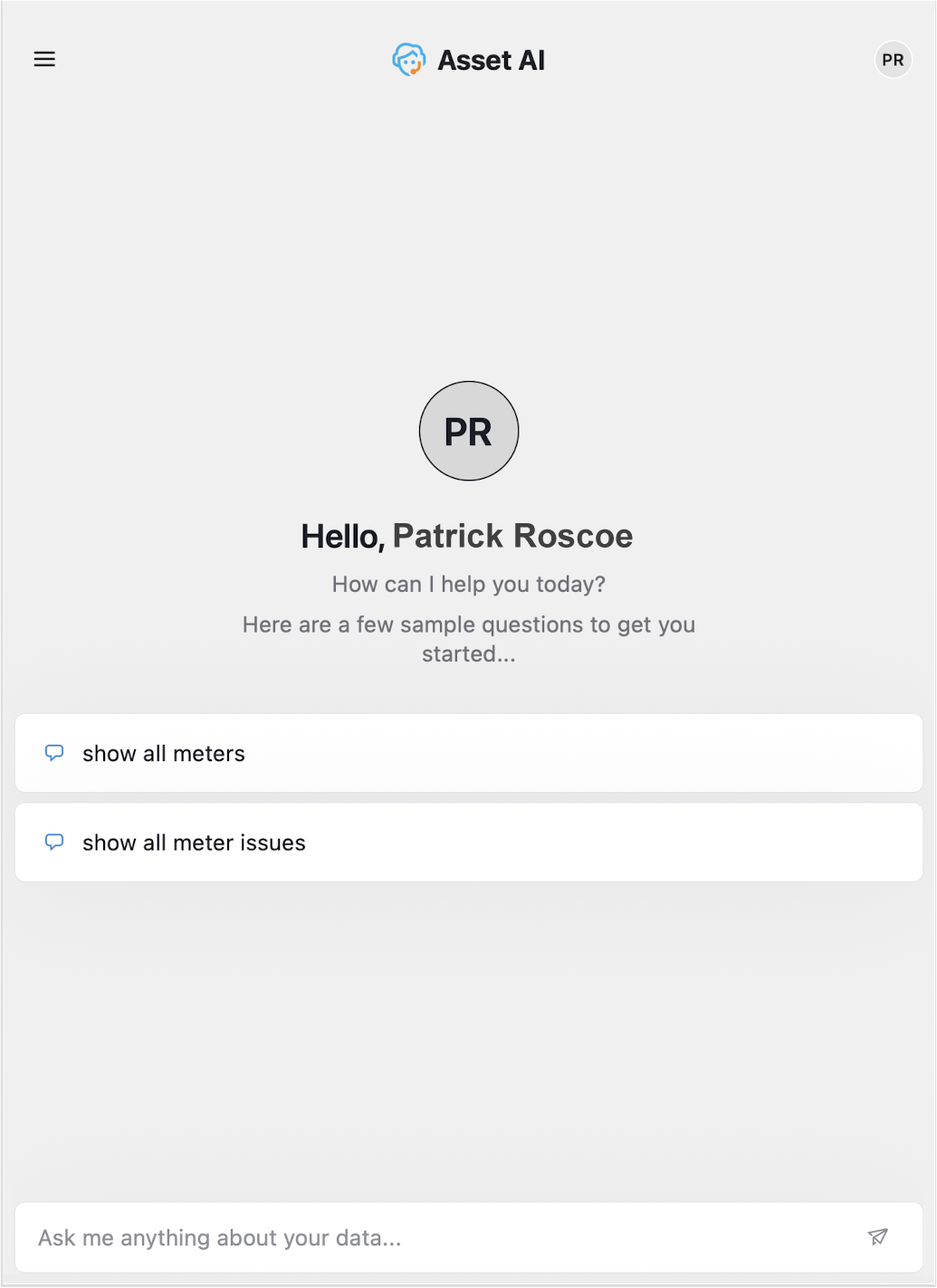
The Welcome screen is shown with some question suggestions. Click a suggested question, or ask other questions in the input field.
-
Instead of typing the question, the user can also click the microphone icon (when the keyboard is visible) and speak the question.
In a Conversation
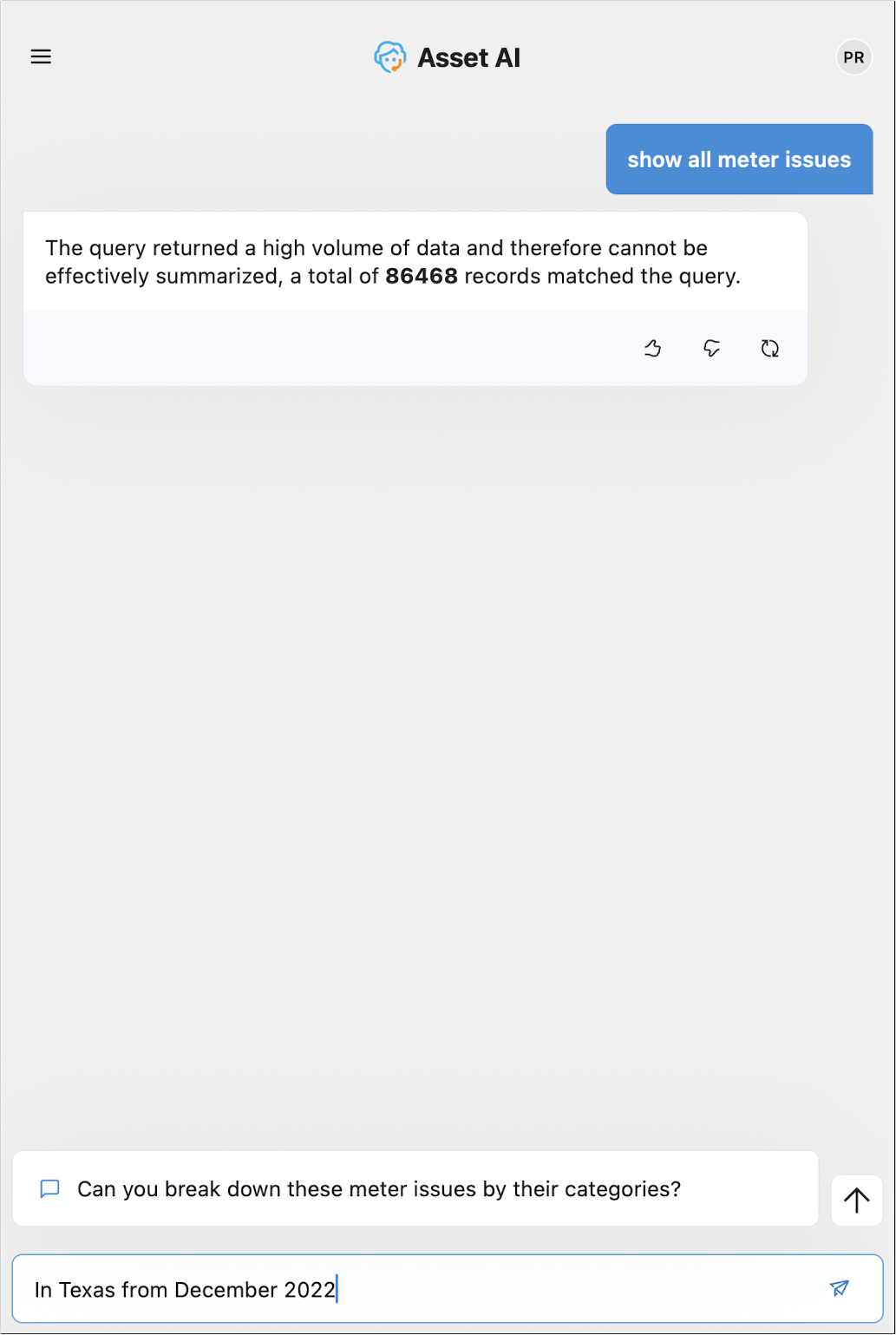
On the conversation page of the Agent, additional questions can be entered into the field at the bottom of the page.
Follow-up Questions
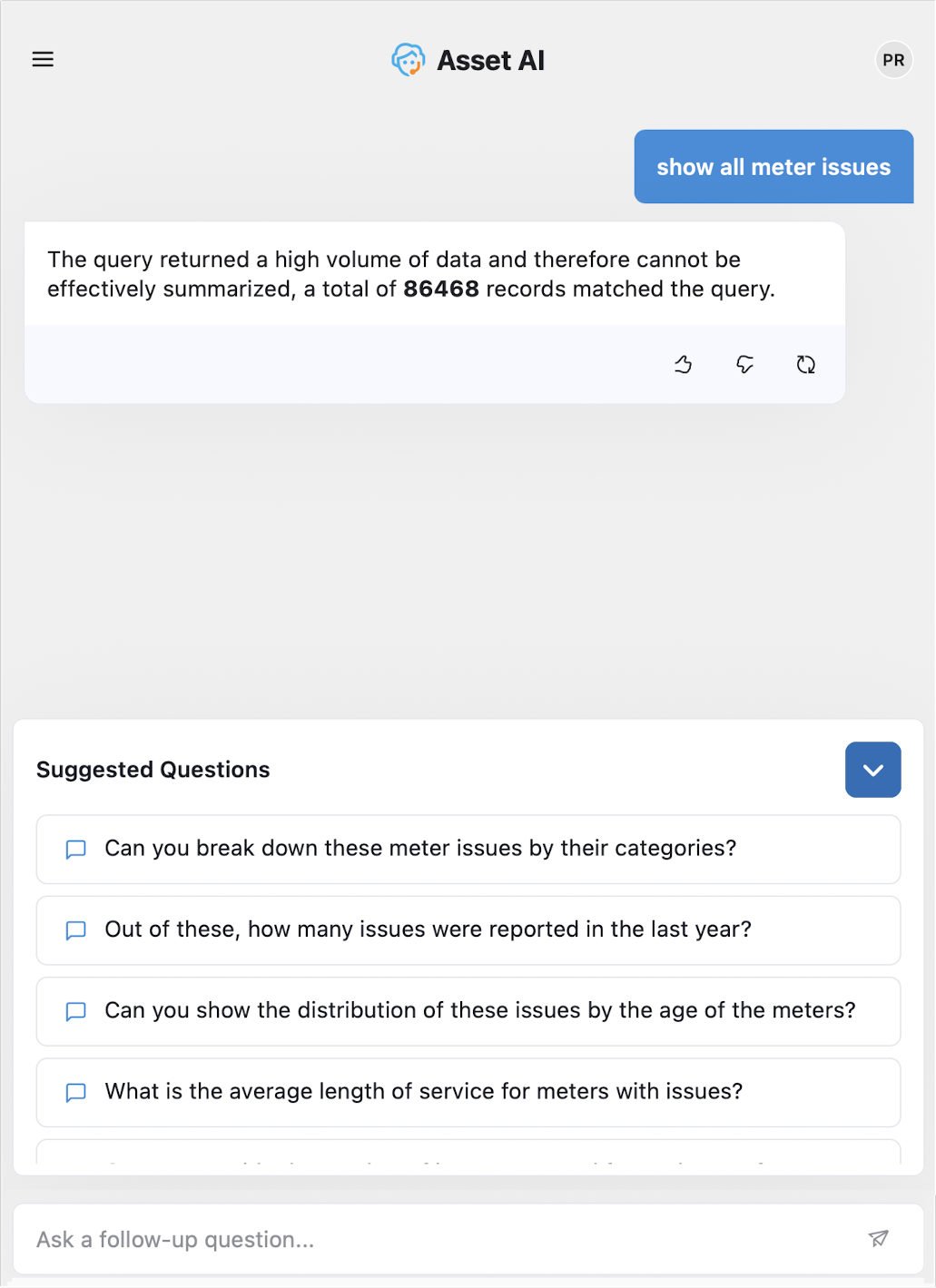
Once a question has been answered, one or more suggested follow-up questions will be added to the bottom of the conversation page for easy selection and execution. Simply click on one of these questions to continue the conversation.
From the History Panel
Questions are organized into conversations, so it’s recommended to only ask questions that are naturally building on previous questions in the conversation. If the user wants to ask questions that are not directly related to previous questions, click the “+ New Chat” button in the Conversation History screen. The Conversation History screen accumulates all conversations in a History list with LLM-generated Titles and Descriptions.
The user can click any of these entries to resume a previous conversation, or swipe left on a conversation to delete it. See Loading a Conversation from History.
Processing a Question
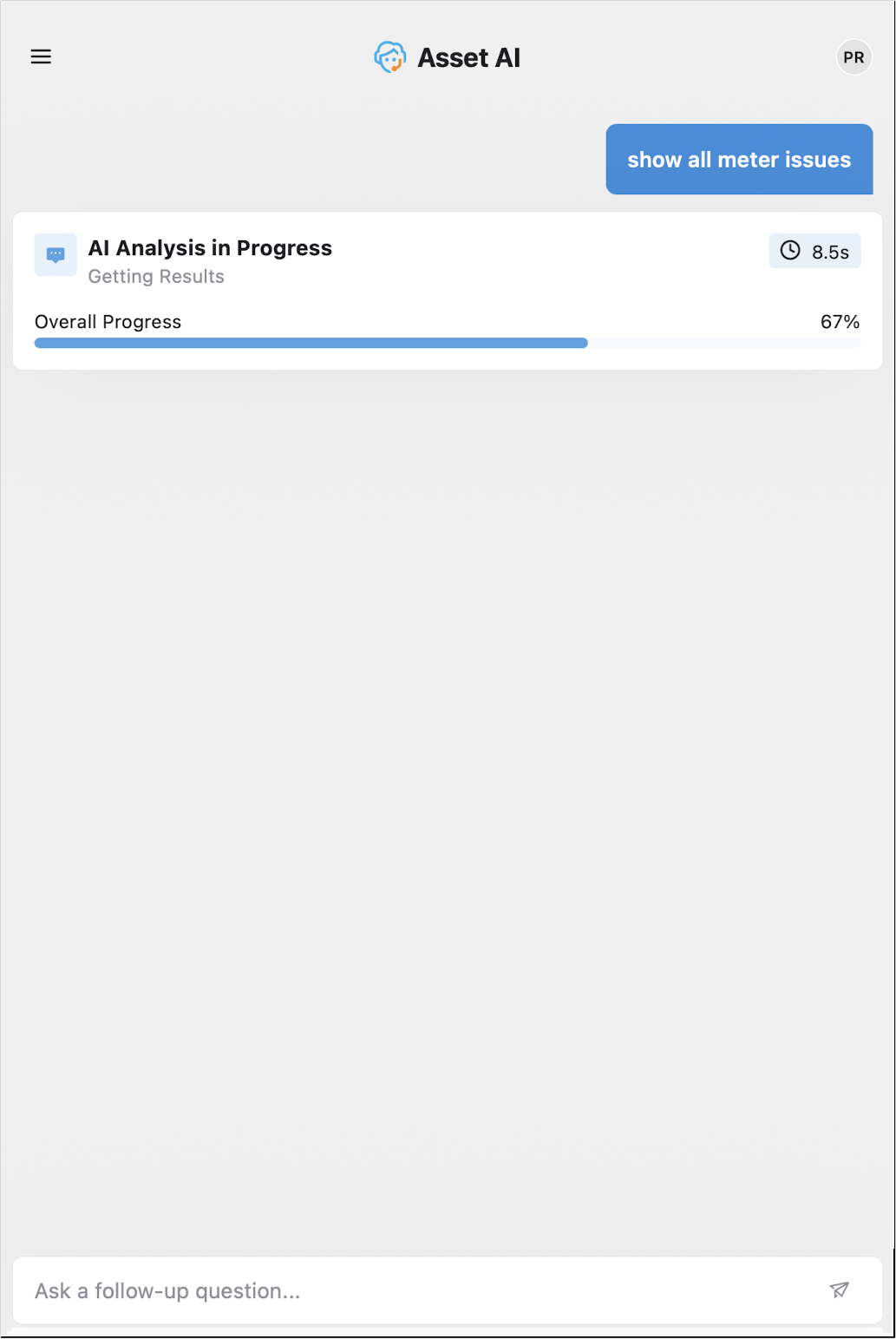
Whenever a question is asked, the Agent will start the process of interpreting the question and generating a query that will be sent to the underlying database(s) in order to retrieve the data to answer the question. A process box appears on the screen showing the steps along the way.
Answering a Question
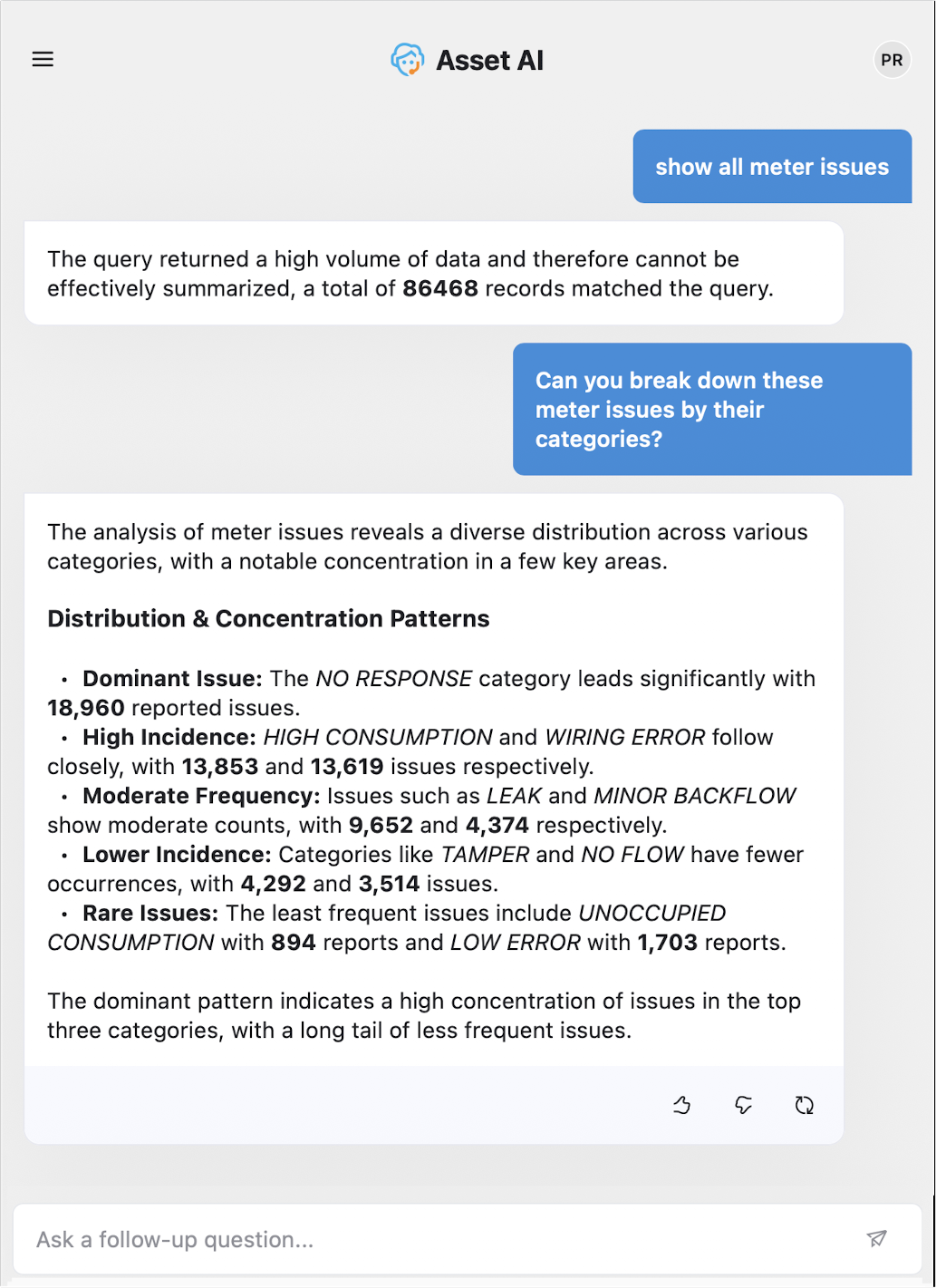
Once ready, the Agent will provide an answer to the user’s question. An answer typically includes one of the following components:
-
A short, concise textual response.
-
A summary of some additional insights about the data.
Textual Insights
Acting on a Response
-
Retry - click to rerun the question to have the data in the response updated.
-
Thumbs Up - a simple acknowledgement will be shown on the screen. This will signal to the Agent that the user is satisfied with the response, and the Agent will, over time, learn and optimize future responses.
-
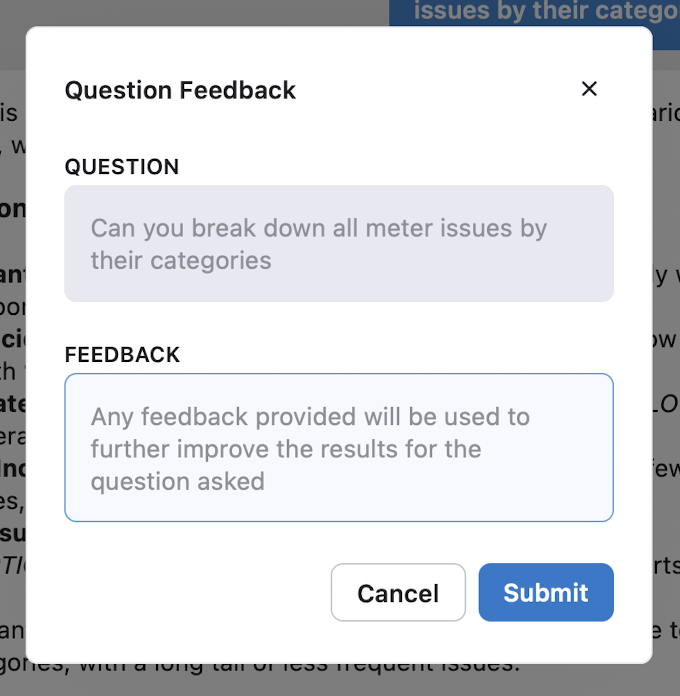
Thumbs Down - opens a dialog where the user can provide some input as to why the thumbs-down icon was clicked. Provide as much information as possible. When clicking the Submit button, the Feedback will be sent for approval (or rejection) by a “supervisor” user with additional permissions to update the Ontology to benefit future users asking the same or similar questions.
Contact App Orchid | Disclaimer