
Intended audience: ALL USERS
AO Easy Answers for Mobile: 1.0
Overview
The Easy Answers solution uses a conversational approach to answering questions. All questions in a conversation are contextual to and “aggregated” with any previous questions in the conversation. For example:
-
Q1: “show all meter issues”
-
Q2: “with leak issues” → show all meter leak issues
-
Q3: “in Texas” → show all meter leak issues in texas
-
Q4: “in December 2020” → show all meter leak issues in texas in december 2020
Such conversations are preserved in the Conversation History, and the Conversation History Title and Short Description will be generated by AI.
Loading a Conversation from History
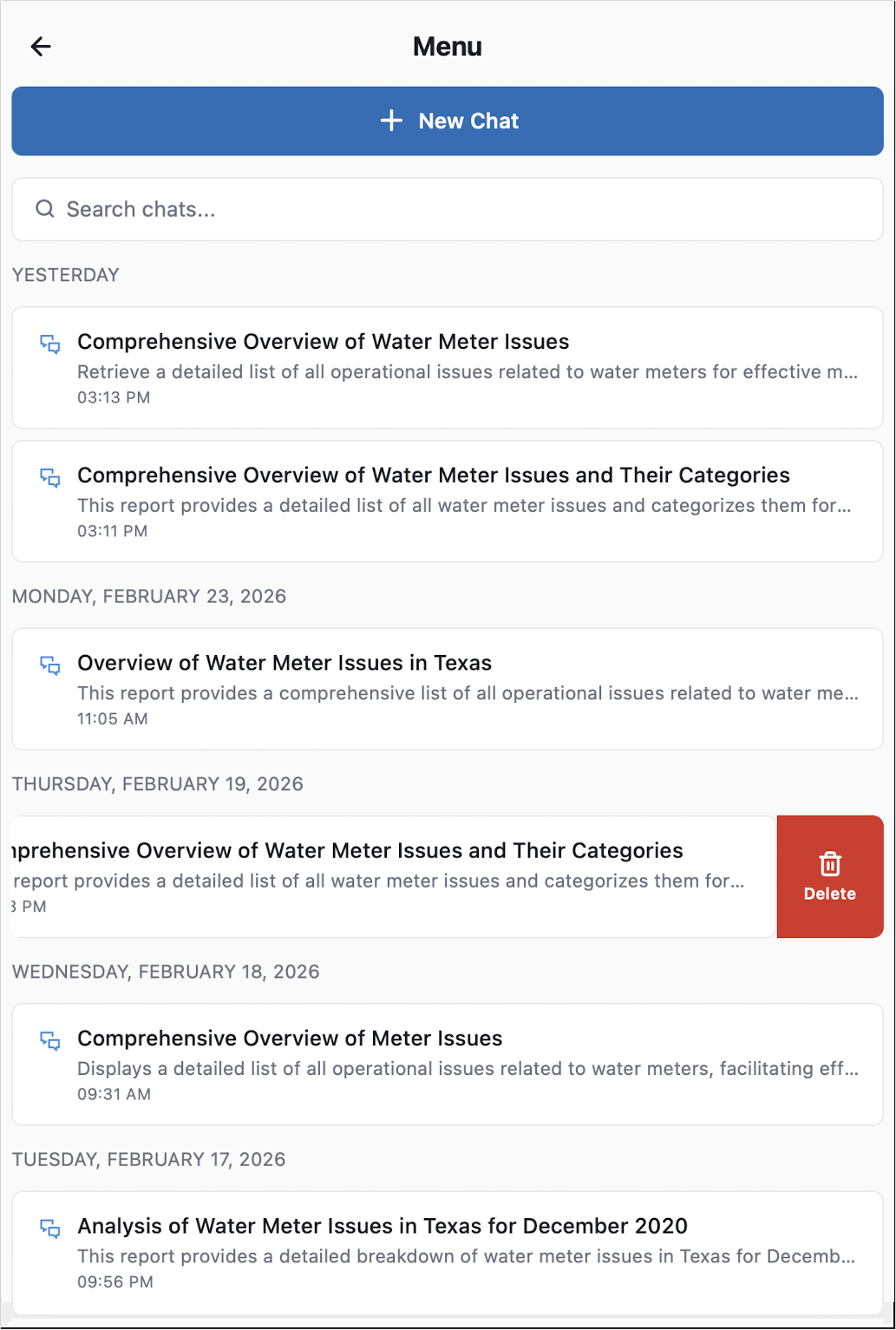
The Conversation History screen is accessed from the 

Once the Conversation History screen has opened, users can select from two main options:
-
+ New Chat - click the button to start a New Conversation.
-
List of Previous Conversations (History) - this list of past conversations is ordered chronologically. Click the conversation title/description to restore it to the conversation panel, or swipe left to delete a conversation.
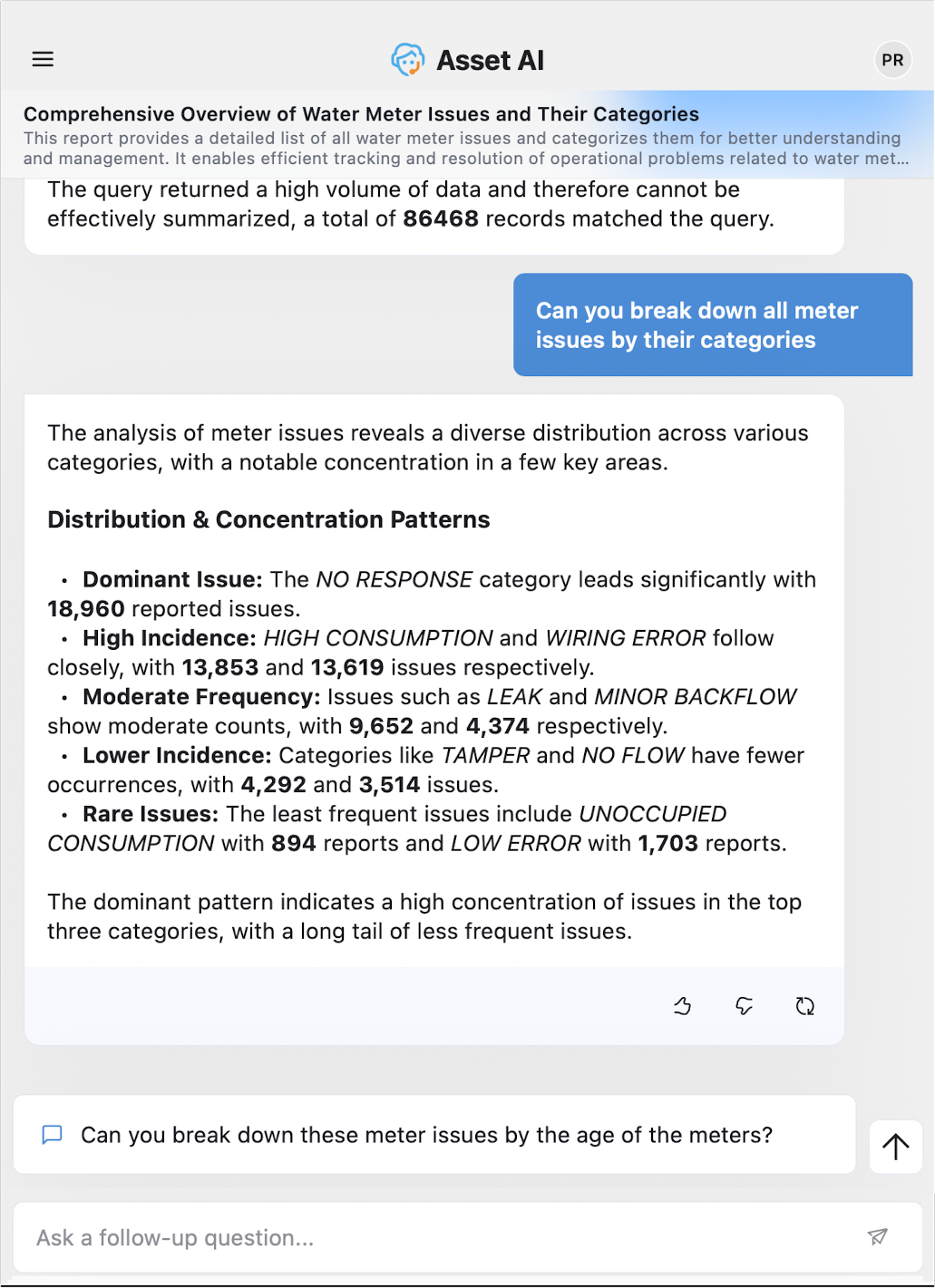
Conversation based on History
If a conversation is loaded from the History list, the conversation title and short description will be displayed at the top of the conversation page.
Contact App Orchid | Disclaimer